
Most Indian freelancers and small businesses share invoices on WhatsApp. That part is fine — WhatsApp is where business gets done in India. The problem is how they share it.
A blurry screenshot. A Word file the client can edit. A PDF that looks like it was designed in 2009. None of these convey professionalism — and in some cases, they create real problems.
Here’s how to share invoices on WhatsApp the right way.
The Problem With Screenshot Invoices
Sharing a screenshot of your invoice seems quick and harmless. But:
- Screenshots are low resolution. GSTIN, bank details, and invoice numbers often come out unreadable when the client tries to zoom in or print.
- They can’t be saved cleanly. Your client can’t extract your bank details or GSTIN from a photo without retyping.
- They’re not searchable. Six months later, neither you nor your client can search for “Invoice 0042” in your chat history and get a useful result.
- They look amateur. If you’re trying to work with mid-size companies or build a recurring client relationship, a screenshot invoice signals that you’re not set up seriously.
The Problem With Sending Word or Excel Files
Even worse than a screenshot. Word and Excel files are:
- Editable. A client can change amounts, dates, or terms — intentionally or by accident — and you have no proof of the original.
- Formatting-dependent. How the invoice looks depends entirely on what version of Office the client has. Tables break. Fonts change. Alignment shifts.
- Not suitable for accounting records. Most company accounting teams won’t accept an editable file as a valid invoice document.
The Right Way: PDF or a Shareable Link
There are two professional ways to share an invoice on WhatsApp.
Option 1: Send a PDF
A properly formatted PDF is the baseline minimum. It’s not editable, it looks the same on every device, and it’s accepted by every accounting team.
What makes a GST-compliant invoice PDF look professional:
- Your company logo at the top
- GSTIN and PAN clearly visible
- CGST/SGST or IGST broken out as separate line items (not lumped as “GST”)
- Invoice number, date, due date
- Your bank details (account number, IFSC, bank name) for easy payment
- Clean typography — not Comic Sans, not a default Word font
Option 2: Share a Secure Invoice Link
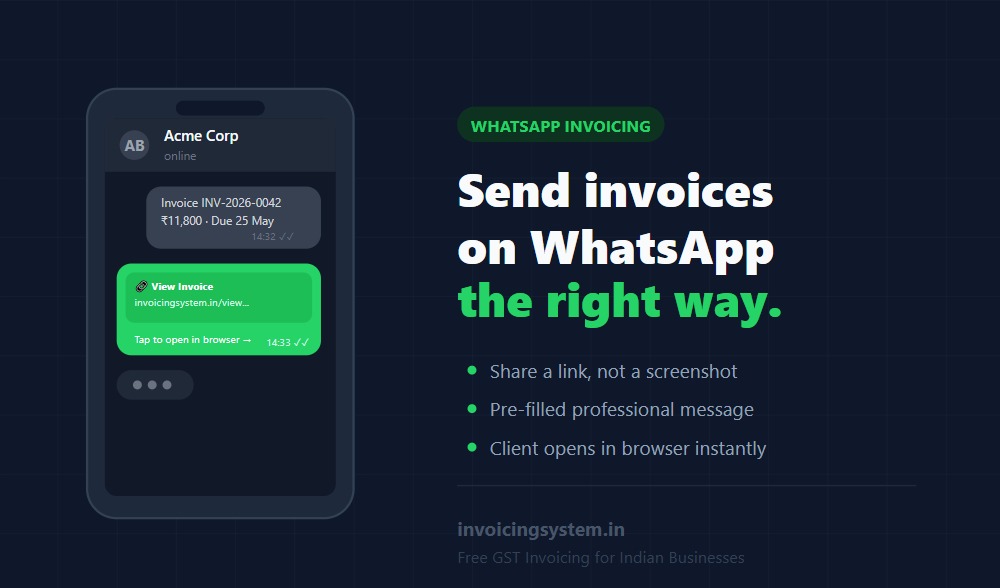
A better option is to share a secure, unique link to your invoice online. Your client opens it in their browser, sees a clean formatted invoice, and can download the PDF themselves.
This approach has several advantages over sending a PDF file:
| PDF File | Shareable Invoice Link | |
|---|---|---|
| Looks professional | ✓ | ✓✓ |
| Client can download PDF | ✓ (it IS the PDF) | ✓ |
| Works without downloading anything | ✗ | ✓ |
| You can update if there’s an error | ✗ (would need to resend) | ✓ (link always shows latest) |
| You can see if the link was opened | ✗ | ✓ (some platforms) |
| No file size issues in WhatsApp | Sometimes an issue | ✓ (just a link) |
What to Say When You Share the Invoice
This is the part most people handle badly. They either send the file with no message at all, or they write something that sounds uncertain or apologetic.
A professional message template for WhatsApp:
Hi [Name], please find Invoice #[Number] for [brief description] amounting to ₹[amount]. Due date: [date].
Payment details are in the invoice. Let me know if you need anything.
[Link or attachment]
Short, professional, complete. It tells the client exactly what the invoice is for, when it’s due, and what to do. No “kindly please” or “sorry to bother you.”
The Follow-Up Message
Most invoices don’t get paid on the first share — not because clients are dishonest, but because things get buried in WhatsApp chats. A polite follow-up at the due date and 7 days after is normal and expected.
Follow-up at due date:
Hi [Name], just a reminder that Invoice #[Number] for ₹[amount] is due today. Please let me know once payment is done, or if you need the bank details again.
Follow-up 7 days overdue:
Hi [Name], Invoice #[Number] for ₹[amount] was due on [date]. Could you let me know the expected payment date? Sharing the invoice link again: [link]
Keep it factual, not emotional. You’re a business, not a supplicant.
WhatsApp Business vs Personal for Invoicing
If you’re sending invoices regularly, consider using WhatsApp Business (the free app). It lets you:
- Set a business name and category visible to clients
- Create quick replies for common messages (like your invoice follow-up template)
- Show business hours and a catalogue if relevant
- Keep business and personal conversations separate
It’s not essential, but it adds a layer of professionalism at zero cost.
One Thing to Never Do
Never share your invoice in a WhatsApp group that includes people outside your company. If a client adds you to a vendor group, always send the invoice in a private chat — not in the group. Groups often include people you don’t know, and invoice amounts, GSTIN details, and client relationships are not public information.
Invoicing System generates a unique shareable link for every invoice you create. Share it on WhatsApp with a pre-filled professional message — your client sees a clean, branded invoice in their browser and can download the PDF. No files to manage, no formatting to fix. Try it free →