
You send the invoice. You wait. The due date passes. You wait some more. Ten days later you’re typing “just following up on this” into WhatsApp for the third time, hating every second of it.
If that sounds familiar, you’re not bad at running your business — you’re just doing a job that software should be doing for you. So we built it. Invoicing System now sends automatic payment reminders for every overdue invoice, without you lifting a finger. Here’s what it does, why it matters, and how the first 500 people to sign up get the Pro plan free for a full year.
Late Payment Isn’t a You Problem — It’s an India Problem
If you feel like you’re constantly chasing money that’s rightfully yours, the data backs you up. A recent Indian SME Receivables Report found the average invoice-to-cash cycle for small businesses now stretches to roughly 73 days — well beyond the 45-day payment window the MSMED Act is supposed to guarantee. And the scale of the problem nationally has been estimated in the multiple lakh-crore range, a meaningful slice of GDP tied up in payments that simply haven’t landed yet.
The pattern is consistent across freelancers, agencies, and small firms: it’s rarely that clients refuse to pay. It’s that invoices get buried in inboxes, forgotten in the day-to-day, and nobody on the client’s side is incentivised to chase it for you. The only reliable fix is a system that follows up automatically, every time, without getting tired or awkward about it.
Why “I’ll Just Remember to Follow Up” Never Works
Every freelancer and small business owner starts out planning to manually track due dates. Here’s why that plan quietly falls apart:
- You’re busy doing the actual work. Chasing payments competes with billable hours, and billable hours usually win.
- Follow-ups feel awkward. Nobody enjoys sending “hey, checking in on that invoice” for the fourth time, so it gets delayed — sometimes indefinitely.
- Spreadsheet reminders don’t scale. Once you’re managing 15–20 active invoices across multiple clients, manual tracking has too many places to fail silently.
- Inconsistent follow-up looks worse than none. A reminder sent 45 days late signals disorganisation, not seriousness about getting paid.
The businesses that get paid fastest aren’t the ones with the toughest clients — they’re the ones with the most consistent follow-up. That’s exactly what automation is good at, and humans generally aren’t.
How Automated Reminders Work in Invoicing System
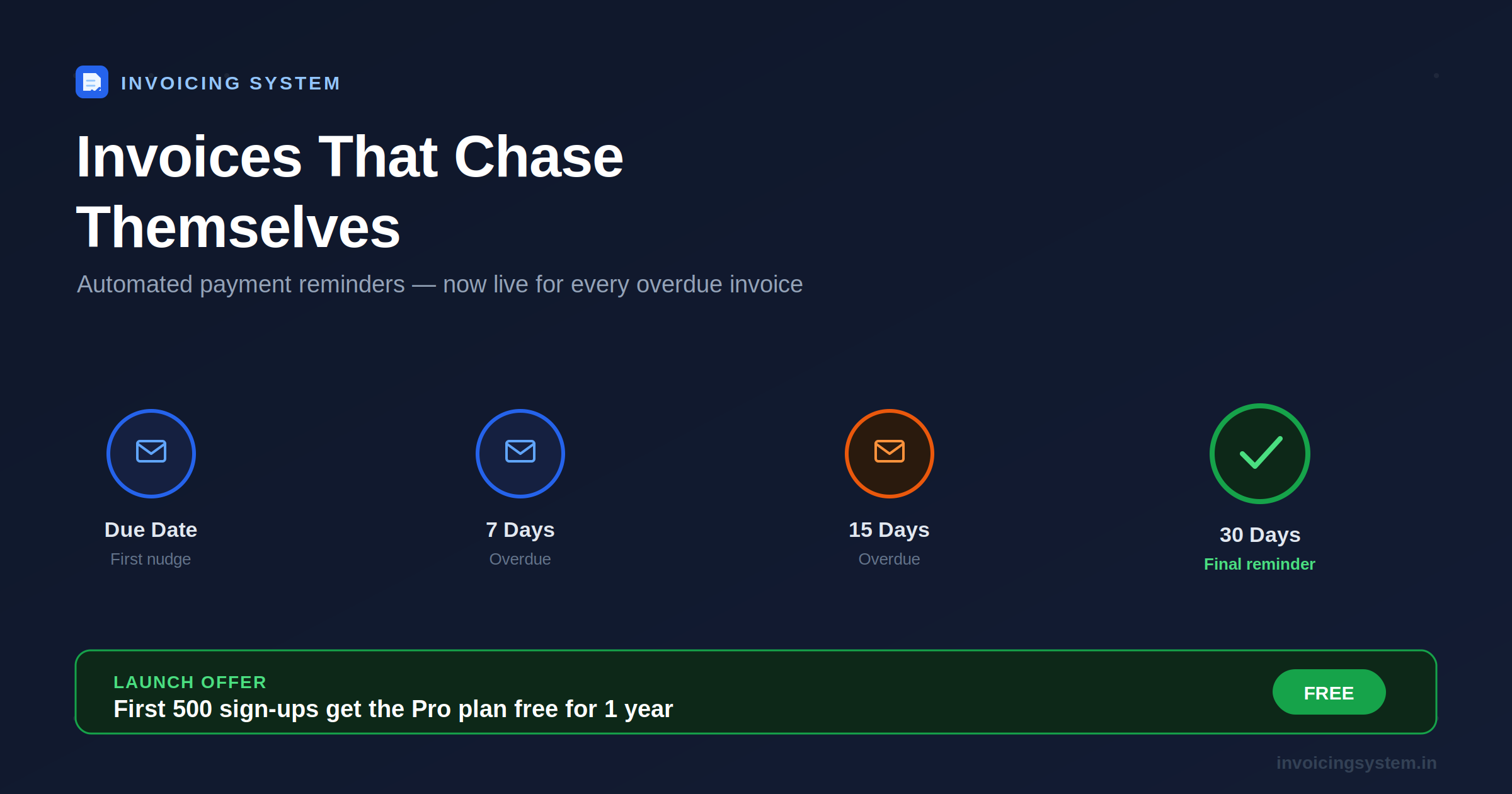
Once enabled on your account, the system checks every outstanding invoice daily and emails your client automatically at four milestones:
| Milestone | What happens |
|---|---|
| Due date | A polite, professional reminder that payment is due today |
| 7 days overdue | A firmer follow-up referencing the original due date |
| 15 days overdue | A clear status update requesting an expected payment date |
| 30 days overdue | A final escalation-tier reminder |
A few details that make this genuinely usable instead of annoying — for you and your client:
- No spam bursts. If an invoice is 25 days overdue when reminders are switched on, your client gets one reminder for the most relevant milestone — not four emails landing in their inbox back to back.
- Replies go to you, not us. Every reminder is sent with your business’s own email as the reply-to address, so if your client responds, it lands in your inbox like any normal email.
- Your accountant can be looped in. CC additional emails on the invoice — your CA, a colleague, whoever needs visibility — and they’re included automatically.
- Fully automatic, fully logged. Every reminder sent is recorded against the invoice, so you always know exactly what’s gone out and when.
Manual Follow-Up vs Automated Reminders
| Manual Follow-Up | Automated Reminders | |
|---|---|---|
| Consistency | Depends on how busy you are that week | Runs every single day, no exceptions |
| Awkwardness | You have to write and send it yourself | Professional wording, sent for you |
| Scales past 10+ clients | Gets missed | Handles hundreds of invoices identically |
| Time cost | Minutes per invoice, every week | Zero — set it once |
| Looks professional | Variable | Consistent branded reminders every time |
🎉 Launch Offer: First 500 Sign-Ups Get Pro Free for a Year
Automated reminders is a Pro-tier feature — and to celebrate the launch, we’re giving the first 500 businesses that register on Invoicing System full Pro access, completely free, for 12 months. No credit card, no trial games, no catch. That includes automated reminders alongside the rest of the Pro feature set as it rolls out — multi-user access, international tax support, and deeper analytics.
This is a straightforward way to never chase a client for payment manually again, at no cost, while the offer lasts. Once the first 500 spots are filled, the plan reverts to its regular pricing for new sign-ups — so if getting paid on time matters to you, this is the moment to act rather than bookmark it for later.
Getting Started Takes Two Minutes
- Sign up for a free account at Invoicing System (see link below).
- Add your company profile and GSTIN — it takes under a minute.
- Create your first invoice as usual, or import your existing clients.
- Automated reminders start running in the background — no separate setup needed.
No more spreadsheet tabs of “who owes what.” No more re-typing the same awkward follow-up message. Just invoices that quietly chase themselves until they’re paid.
Invoicing System is free GST invoicing software built for Indian freelancers, SMEs, and CAs — now with automated payment reminders included in the Pro plan. Be one of the first 500 to register and get Pro free for a full year. Claim your spot free →